Monitoring My Solar Panels' Health
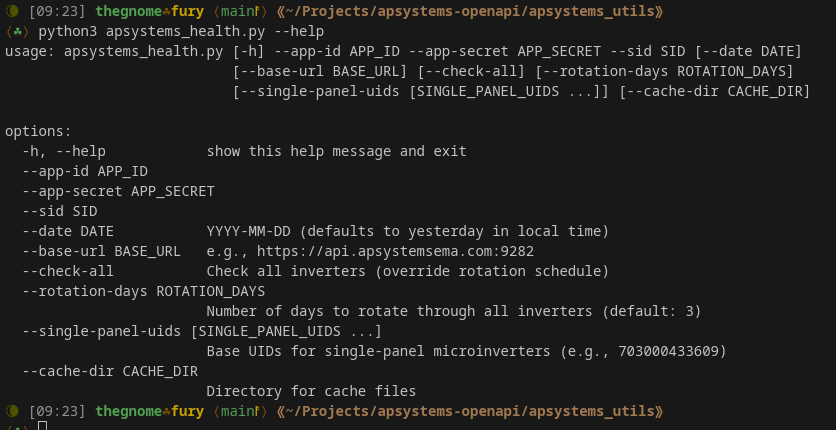
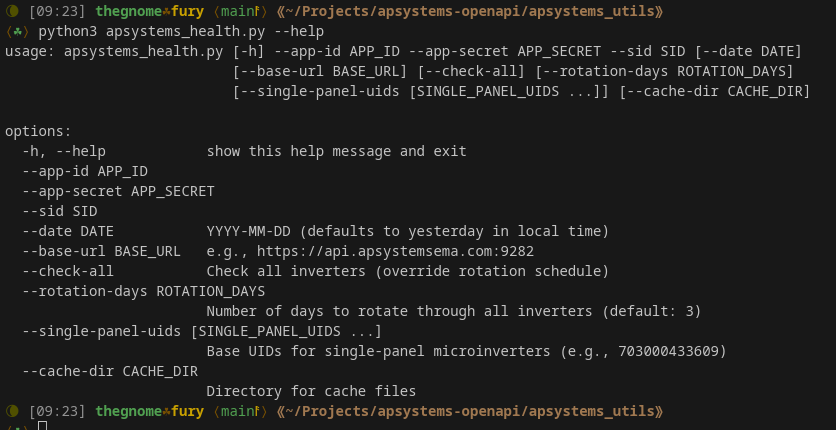
The help option for my APsystems inverter “health” monitoring python script.
I have a total of 51 solar panels of various strengths (16.115kWh of capacity) and 26 APsystems DS3-L micro-inverters up on the roof. I want to be able to monitor the system for potential problems, however local monitoring is not possible as all data is uploaded to the cloud. The micro-inverters use encrypted zigbee and push data to a local control unit - called the APsystems ECU-R - which in turn uploads the data to the cloud. Local access to the APsystems ECU-R does not allow access to the collected data I need to monitor, so the web via a browser gets to the data displayed in graphs (not detailed enough for automated analysis) or there is API access that raw data. The API works perfectly for what is needed, however there is a hard limit of 1000 calls per month. To make it even more complex, I have a custom Home Assistant integration that I wrote that is already using up over half of those calls. So I had to get creative.
Basically, I want to know fairly quickly if there is a problem with either a panel or an inverter, and I don’t want to simply pour over the data via the web interface on a daily basis and then try to interpret numeric trends off of an animated graph. I want the exact numbers and the ability to track them so I can see if something has failed. As these panels are saving me money by providing free electricity, delays cost money the longer the panels are in a failed state.
The math works out like this - checking all 26 inverters once requires 27 API calls (one for the inverter list, plus one per inverter). Daily checks would consume 810 calls monthly. Add my existing Home Assistant usage, and I'd need around 1,400 calls, which is exceeding my 1000 call limit by quite a bit.
Technical Challenges
Each APsystems DS3-L micro-inverter is essentially a small computer that converts DC power from solar panels into AC power. They have two independent channels (called dc_p1 and dc_p2), each capable of handling one solar panel. These inverters report detailed power production data and upload it to APsystems' cloud service every 5 minutes, starting when they begin producing energy.
The health issues I needed to detect were:
Channel Mismatch: When two panels on the same inverter produce significantly different power levels (>25% difference) despite receiving similar sunlight. This often indicates a failing panel, loose connection, or shading issue.
Channel Flatline: When one channel produces zero or near-zero power while its partner channel works normally. This typically means a complete panel or connection failure.
Complete Inverter Failure: When both channels stop producing power, indicating an inverter malfunction.
To make things more interesting, one of my micro-inverters only has a single panel attached to channel 2, with channel 1 left empty. This is a completely valid configuration, but if monitoring can’t handle that, it will constantly flag it as having a "failed" channel and severe channel mismatch. I needed to make sure I could handle this edge case.
Intelligent Rotation
Instead of checking all inverters daily, I implemented a rotation system. Since solar panel problems rarely appear and disappear within a day, if a panel fails on Monday, it will also fail on Tuesday. This means I don't need to check every inverter every day – I just need to check them regularly enough to catch problems quickly.
I divided the 26 inverters into two groups of 9 and one group of 8. Checking one group a day means each inverter gets checked every three days, reducing monthly API usage by a substantial amount. As the inverter list itself doesn’t change much, so there's no need to fetch this list daily. This saves another chunk of API calls.
For the micro-inverter with only one panel, I just have to specify the particular micro-inverter and it figures out which of the two channels is the one with the panel and goes from there. Obviously if both channels are showing flatline, something is wrong whether there are two panels or one connected, but if I’ve tagged the micro-inverter as having one panel then it is easy to determine which channel is the one with the panel.
lessons Learned
The API limit forced me to think creatively. Instead of brute-forcing daily checks, I developed a more intelligent system that's actually *better* than checking everything daily. The rotation system provides good coverage while leaving API headroom for troubleshooting when issues are detected. The single-panel inverter configuration could have generated 365 false alerts per year. Building in “logic” to handle edge cases isn't optional – it's the difference between a useful tool and an annoying one.
Starting with basic detection and gradually adding features (caching, rotation, email alerts) made the project manageable. Each enhancement solved a specific problem without complicating the core functionality. The system tracks its own API usage and estimates monthly consumption. This meta-monitoring ensures the monitoring system itself doesn't become a problem.
Summation
It has been operating just fine for close to three months. It hasn’t detected any flaws, although that is to be expected as a lot of the gear is new (5 new panels, a bunch of new inverters). Very happy with the process, I had to learn how to get creative with the math as well as pushed my python skills forward a bit more. I’ve added an apsystems_util directory to the custom integration project and there the code sits if you’d like to check it out.