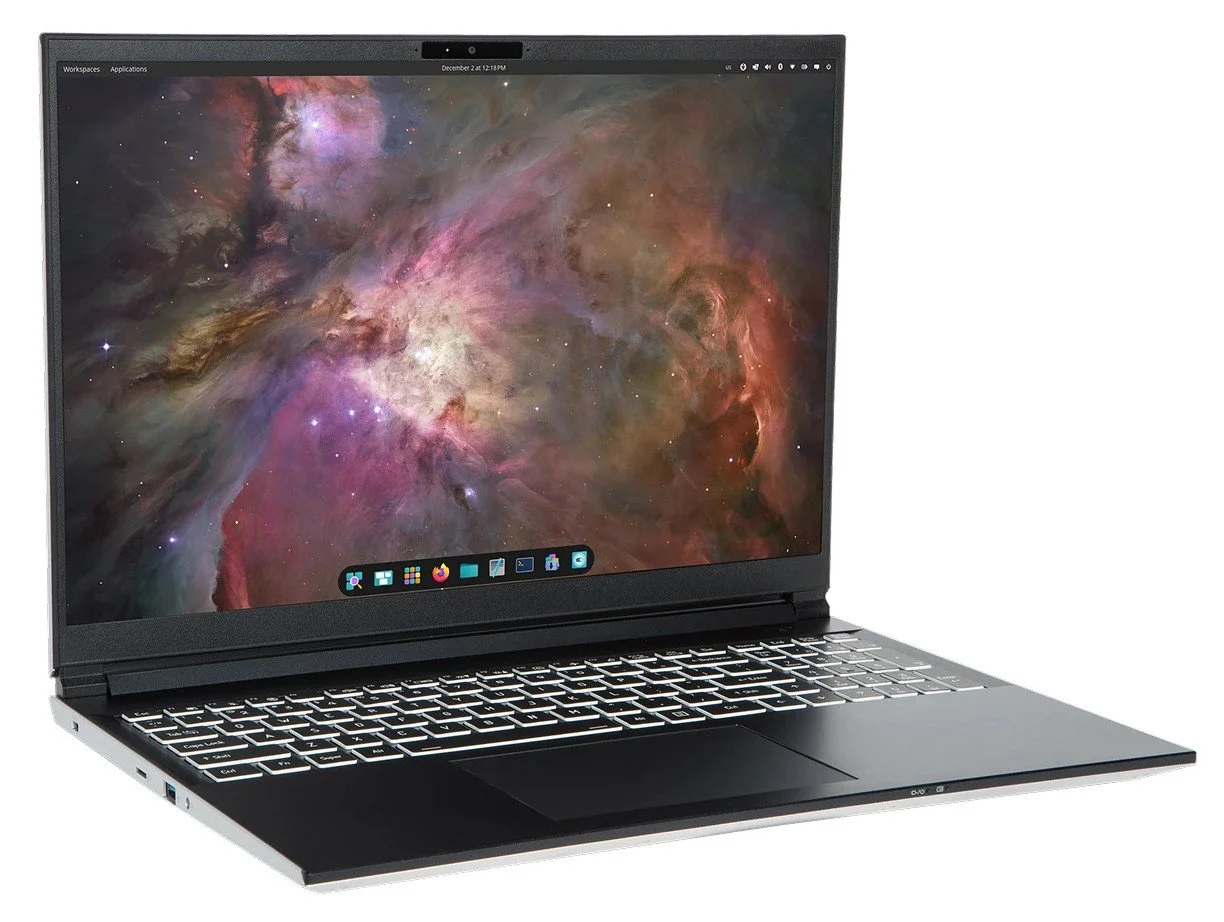
System76 Oryx Pro
Photo purloined from System76.
My old HP Dev One finally died, things were slowly going wrong with it but the main problem was the battery swelling - it caused the touchpad to cease functioning. Additionally several of the keyboard’s keys were beginning to fail. More than once I had to open the thing up and make internal adjustments. But as it was slowly dying I decided to pull the drive, mount it up to an old Dell that had Ubuntu 26.04 loaded up, and used that while I researched a replacement. I settled on a System76 Oryx Pro.
Why System76?
The main reason I went with System76 was because of past experience with them. The server rack has no less than eight System76 Meerkats, and I’ve have System76 laptops in the past. Plus the specs for the Oryx Pro are outstanding.
The HP Dev One ran Pop!_OS 24.04 with the COSMIC desktop, which I did like, however they were often slow to patch flaws and many of the packages were out of date with my needs. The OS is largely based upon Ubuntu 24.04 and they’ve not updated things to be based on Ubuntu 26.04 as of this writing. I’ve been trying to get the systems I run and manage to be as quantum safe as possible - partially out of simply just being crypto nerdy - but because I actually believe it is important and will continue to grow in importance so I want as much experience with this area as possible. Ubuntu allows me to do that. Plus, Ubuntu has always patched quickly, I am used to the OS, and all the software I want to run all runs fine on Ubuntu. Before you start to get all critical of my choices, remember that I prefer tweaking code and apps, not the OS, and this more than meets my needs.
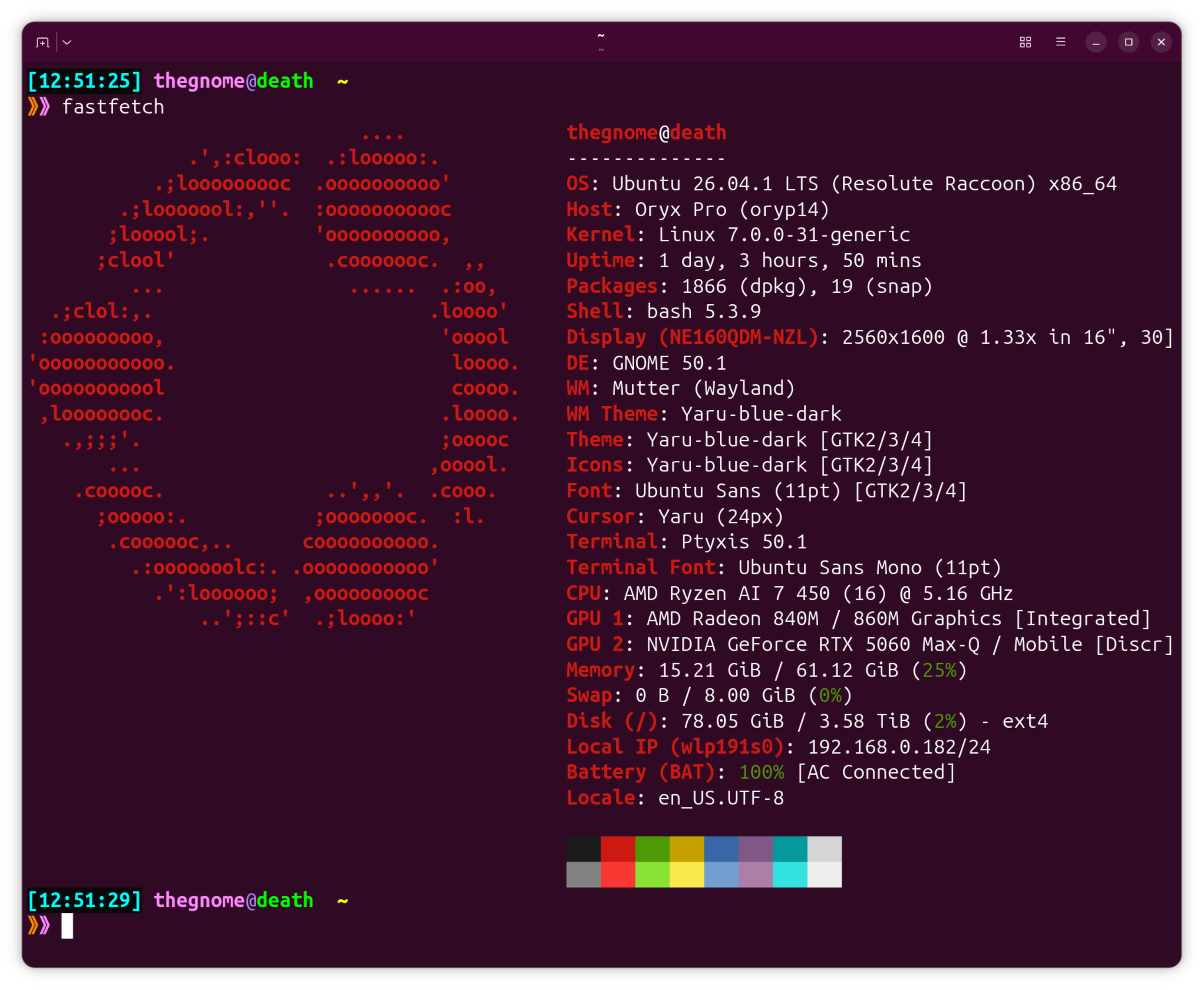
Raw specs via FastFetch. Yes the laptop is named ‘death’.
This wasn’t a cheap selection. Thanks to the economy and tariffs and the whole AI gold rush the price of RAM is sky high - in fact a lot of the electronics being used in modern computers is priced quite high - so this brought the cost north of $4k plus taxes and shipping. This is with only one internal drive and I did not max out the RAM.
I should note that the build quality of this laptop is quite high. It is a high-quality plastic body around the chassis but it certainly does not feel cheap. In the past there have been a few of the lower-end System76 laptops where this was the case, but not the Oryx Pro. Having a 16x10 screen instead of 16x9 provides better screen real estate usage on the desktop.
Usage
The Oryx Pro is my personal daily driver (my work laptop is a Mac), and the main use of it is for monitoring my smart house, listening to podcasts, shopping, and personal email. Of course all of that can be done from basically any laptop including very old ones, typically via a browser. However I also use it for coding and experimenting with local AI. This is where the Oryx Pro really shines. It is lightning fast - much faster than any other Linux laptops I’ve used. The MacBook Pro with an M5 Pro chip and 48MB is also fast, but for my personal daily driver I prefer Linux.
On the coding side I am mainly running things I’ve put together with python, but I do still play around with C and C++ (and experiments with Rust and Go) and the multi-threaded code compilation is blindingly quick. And with local AI, dual local GPUs help with performance. I still cannot run really large models, but I can run decent-sized ones - quantized 8B to 14B parameter models via Ollama easily. Note that I am not getting into the weeds with stats or performance data in this blog simply because I often find that type of data to be subjective. What little experimenting I’ve done with multiple VMs show it can handle that type of usage just fine. Let’s just say in general it is a lot faster, definitely the fastest Linux laptop I currently own.
One interesting thing is that when the HP Dev One the touchpad began to fail, I hooked up a cheap Piktec T7 gaming mouse and disabled the touchpad. I became so used to using the mouse that I now have the Oryx Pro touchpad disabled and I’m using that T7 mouse with it. Quite frankly I prefer it this way, but that’s me. The nerd in me also made sure the backlit keyboard color and the mouse highlighting color matched, because why not.
My only complaint is that the fan is quite loud. Under any type of decent load it will kick on. Fan noise does not bother me, and I guess if it really did I could likely replace it as System76 systems are fairly easy to take apart, modify, and repair. And speaking of opening up the laptop, normally I would have popped this laptop open and really explored the insides to get a feel for the system, but as I was in the middle of replacing an old one and I really needed this adopted quickly, I immediately began configuring it starting with a fresh load of Ubuntu 26.04. After a quick restore of backed up data, things were good to go.
The usual apps (Firefox, Thunderbird, LibreOffice, Signal, Discord, Slack, etc) function more than perfect. If I’m simply using the usual, battery life is more than fine. Development tasks, AI experiments, graphics-intensive work does eat up the battery but then again that is not unusual or unexpected. And considering it works faster with CPU/NPU/GPU behavior overall, it seems better on battery life than previous laptops. Previous laptops allowed 3-4 hours on batteries with heavy loads, the Oryx Pro is roughly 4-5 hours on batteries with the same load more or less.
Conclusion
The System76 Oryx Pro is an excellent choice as a Linux laptop. Outside of the noisy fan I’ve had nothing but good experiences with it so far. Highly recommended!