The Home Assistant Migration
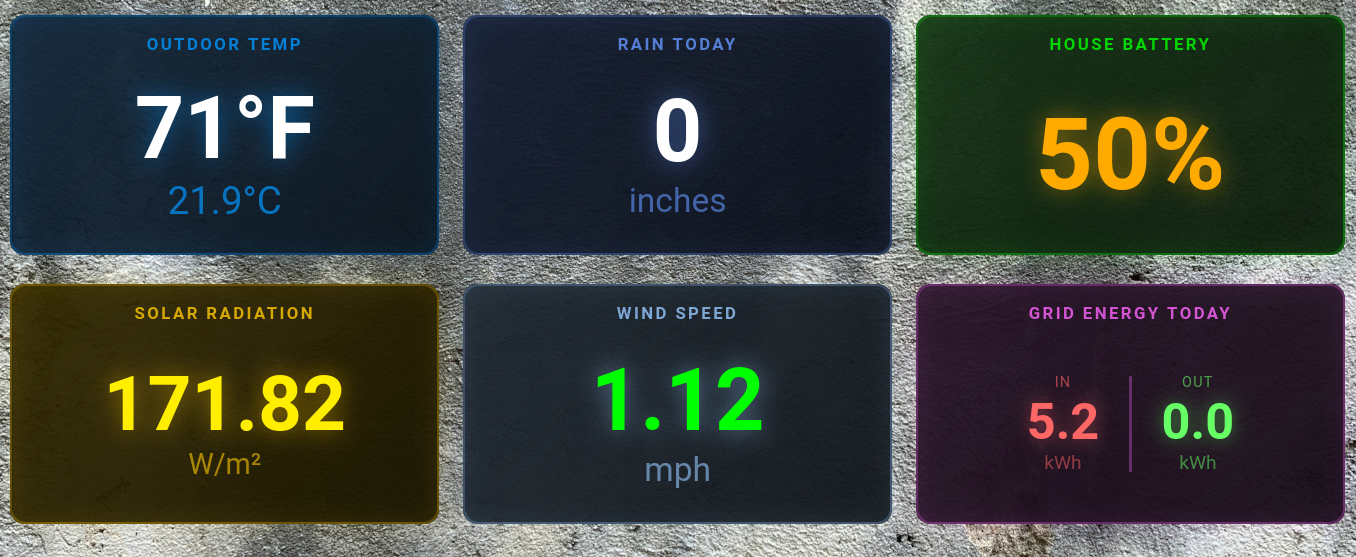
Dashboard for a wall display, viewable from across the room for easy review.
With the announcement from Home Assistant that Home Assistant Supervised would no longer be supported later this year, I considered whether I wanted to continue to babysit HA Supervised running on the only Debian server I had. I’ve blogged about it before - the only reason I was running Debian on the server was because I could run HA Supervised, and I wanted to run that version of HA specifically so I could use add-ons. Additionally I could run other services on that server. And so the server known as “Hivemind” on my network was handling a lot of smart home type services, plus a few odds and ends like docker images for testing and whatnot.
However I run Ubuntu on every other server (four public facing, one internal only) and I have virtually no problems with them, while I’ve had more problems with Debian. I blogged about this a bit at the beginning of the year, but Debian seems to have gotten worse. Other services were migrated off to the other internal server (where they’ve run fine) and the only thing left on Hivemind was HA Supervised. Running Home Assistant OS would “monopolize” the old Hivemind server, but Debian’s instability had already done that reducing things to just Home Assistant, so at this point why not. And so I made the decision to pull the trigger and say goodbye to Debian, and get my Home Assistant house in order.
Per my own tradition, as my birthday is September 11th I typically take the week off, and I made the decision that this migration of Hivemind and HA would be one of my “stay-cation” projects for that week. And so after a Monday morning of other needed household chores completed, I began the process after lunch.
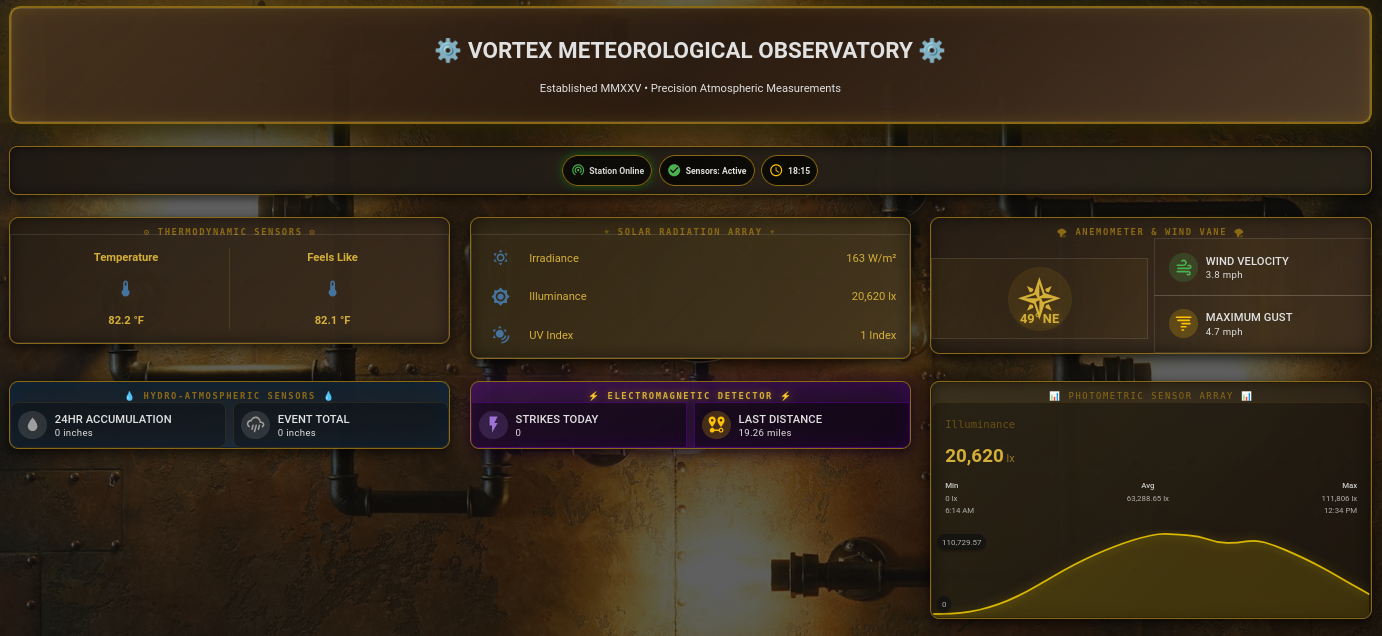
Current weather nerd dashboard, steampunk style.
The Migration
The plan was to move to Home Assistant OS, which is simply Home Assistant running on its own operating system while still supporting HA add-ons (very important in my mind), and there was a version that could run on the System76 Meerkat hardware I had been using for Debian. The steps would be as follows:
Create a backup of Home Assistant Supervised and download it to separate hardware.
Boot up the Hivemind hardware off of a USB stick running Ubuntu Desktop, and do the “try live Ubuntu” option.
Wipe Hivemind and push on the Home Assistant OS image onto the drive.
Reboot Hivemind and during the initial Home Assistant OS setup, when prompted restore the backup.
Test everything and make sure it is all working.
Go have a chai and relax.
Worse comes to worse, my plan B was just start over with discovery and rebuild everything from scratch. I had copies of the custom integrations as well as elaborate custom dashboards, and I’d held off on some of the more odd automations I wanted to do anyway since I had planned to complete them after the migration.
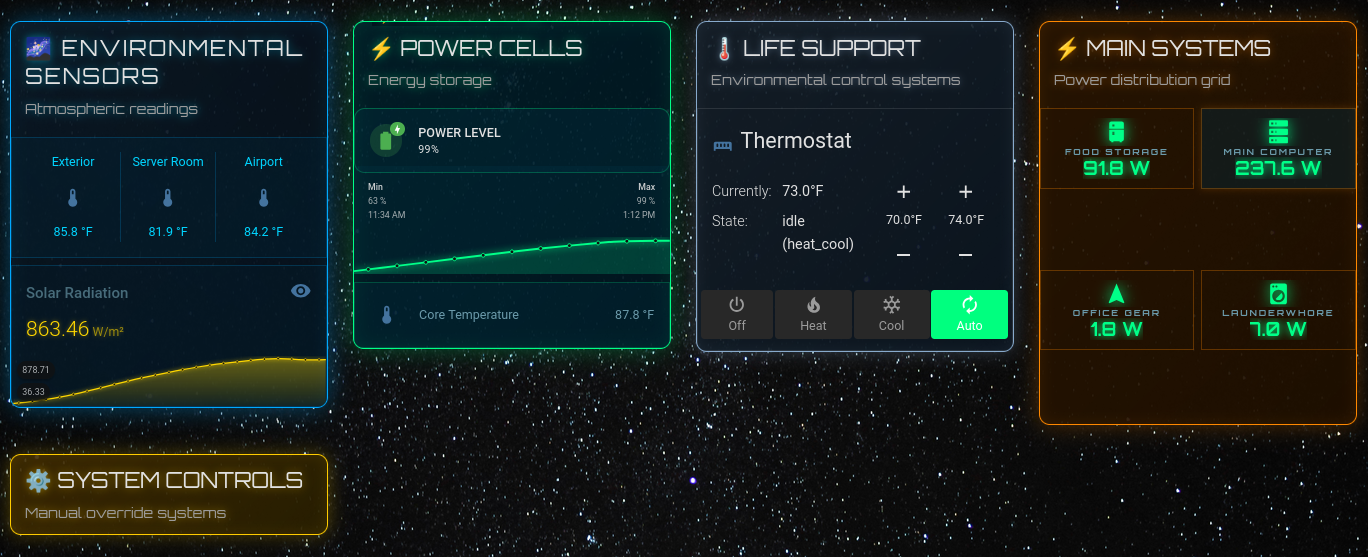
The main interactive and dynamic dashboard, some windows are just on, some appear when items need addressing or just to monitor the occasional running automation.
What Happened
If you’re expecting drama, well, not exactly. This is from my notes.
Initial steps successfully completed:
1:03 PM / Backed up HA Supervised
1:06 PM / Downloaded and set up Ubuntu USB
1:23 PM / Started drive wipe and replace
Booted up on Ubuntu USB and used Disk app to write HA OS to largest partition
Rebooted and it booted up on alternative partition with Debian
Reset in BIOS to launch new HA OS partition first
2:09 PM / Booted into HA OS
2:14 PM / Remotely accessed via browser, and restored backup from HA Supervised
2:20 PM / System functioning, reset IP address to old
hivemindaddress and changed hostname tohivemind2:25 PM / Initial tests show automations appear to function just fine, will monitor to ensure complete success after evening and daily automations
After less than 90 minutes, at least the majority items were acknowledged as functional as before. By the next morning, it was clear that all of the various automations were working as expected, and all of the “on demand” queries and actions performed as they had before. Because of past experiences with tech I guess I expected more of a struggle, so having something go so smooth was a very pleasant and welcome surprise.
You bet your ass I sat down afterwards and enjoyed a chai. In fact, I had a couple of them.
next Steps
I guess there is no excuse for putting off the various additions I had postponed, so there will be more integrations, more interesting dashboards, and in general just more overall monitoring. Who knows what integrations I’ll end up adding to this over the next few months. I’ve already added the Terminal and SSH add-on, and I’ve set up remote SSH via SSH key auth to access the Home Assistant console, so I can see some Ansible playbook additions in my future. Plenty of nerd stuff ahead!